
TokenPel- ICO Software | Complete ICO Token Launching Solution
By : www.whitepel.com
Thank you so much for visit this. If you want this platform or having questions / doubts then feel free to reach us.
Email : info@whitepel.comWhatsapp : Chat Now
Telegram : Chat Now
Website Form : Contact Now
TokenPel is the Complete Initial Coin offering Software for your CryptoCurrency Business.It has Token initialization and 6 Types of Payment gateways including Coinpayment and GOURL.Here you can do anytypes of Coin offering services and You can Sell the Package to your Customers and can take investment from users.
Demo of TokenPel
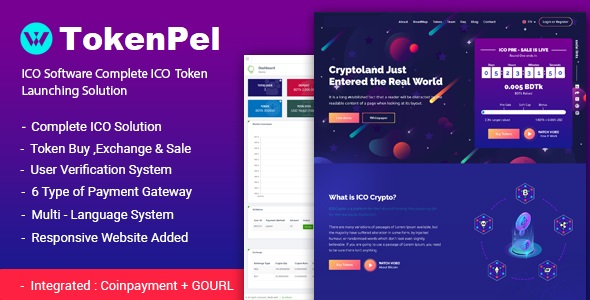
Table of Content
- Admin Dashboard
- Profile Setting
- Settings
- Fees Settings
- Email and SMS Settings
- Language Settings
- Payment Gateways
- Affiliate setup
- ICO Full Settings
- CMS Settings
- User Settings
- Account Setup and KYC
- Package Setup
- Finance
- Exchange
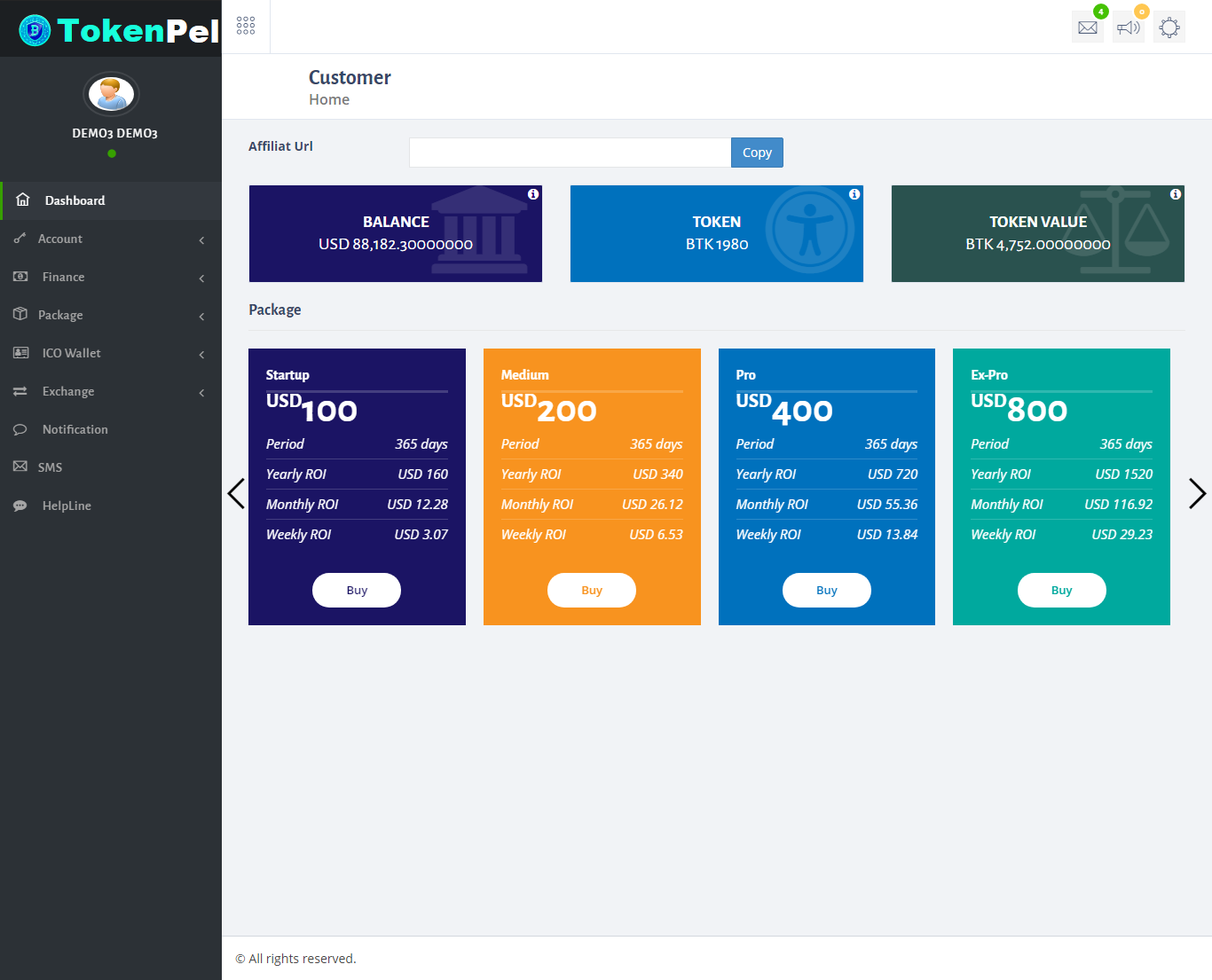
- Customer Dashboard
User Guide:
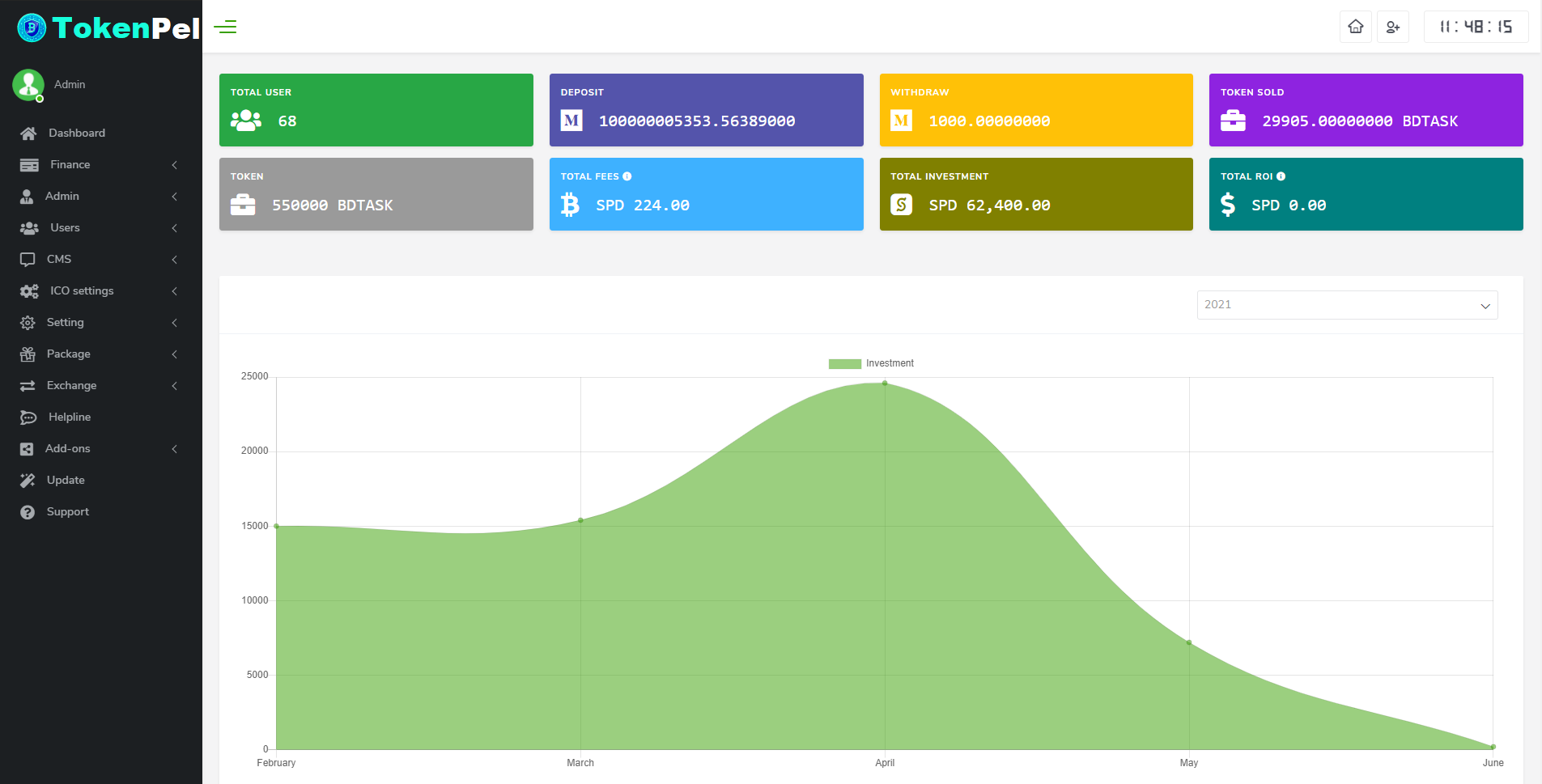
- First you can see admin panel dashboard.Here you can see total user,deposit,withdraw,token,fees,investment etc.You can see the screenshot here:
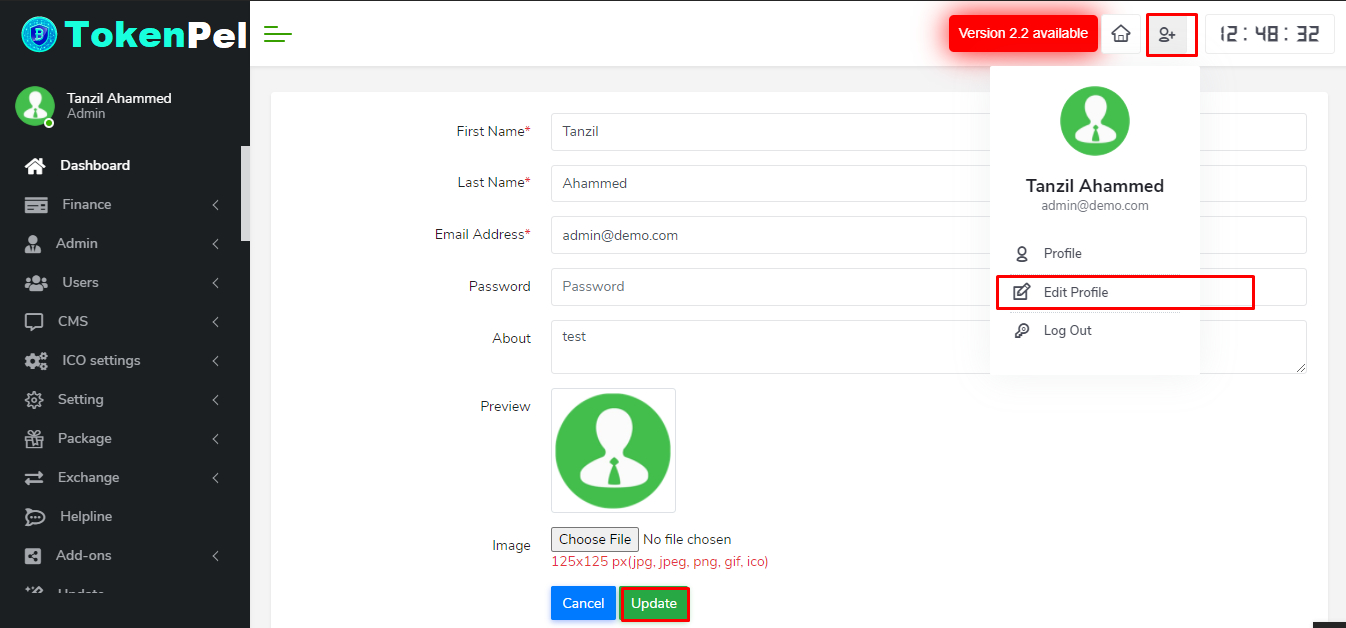
- After live you can edit admin profile.Fill your informations & set your password then click the update button.
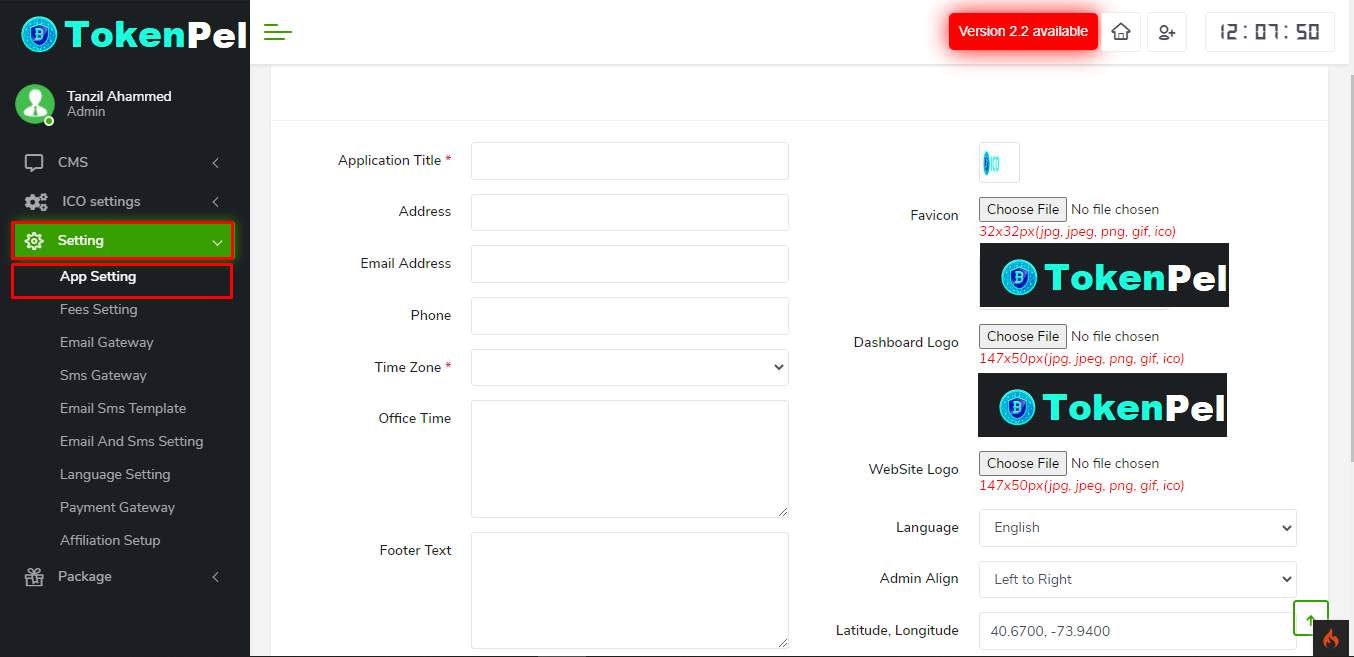
- To set-up apps please go to setting>click app setting>fill up the option like title,address,email-address,phone,choose favicon,dashboard logo,website logo etc>and finally click save.
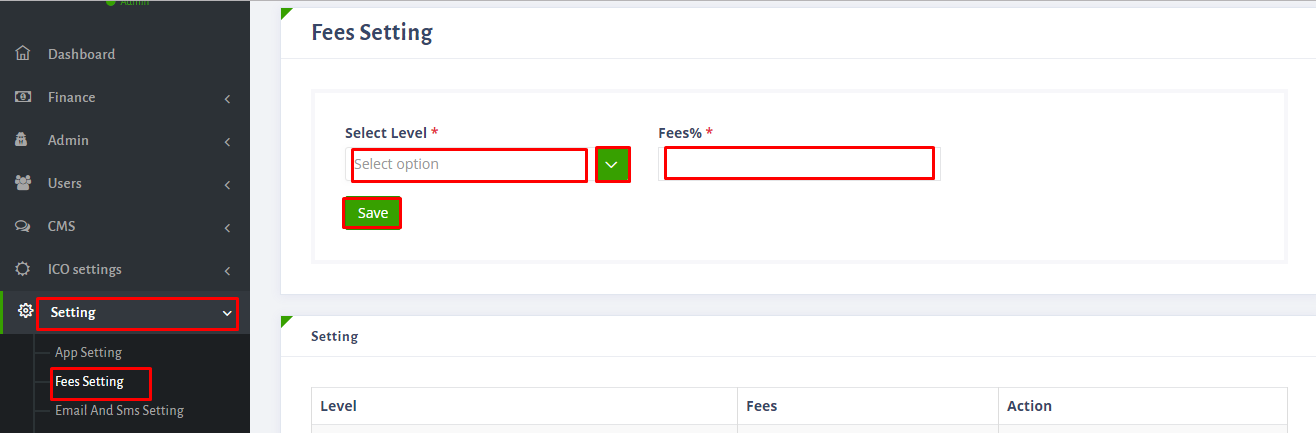
- To set-up fees go to setting>click fees setting>here select level and give fees>finally click save.
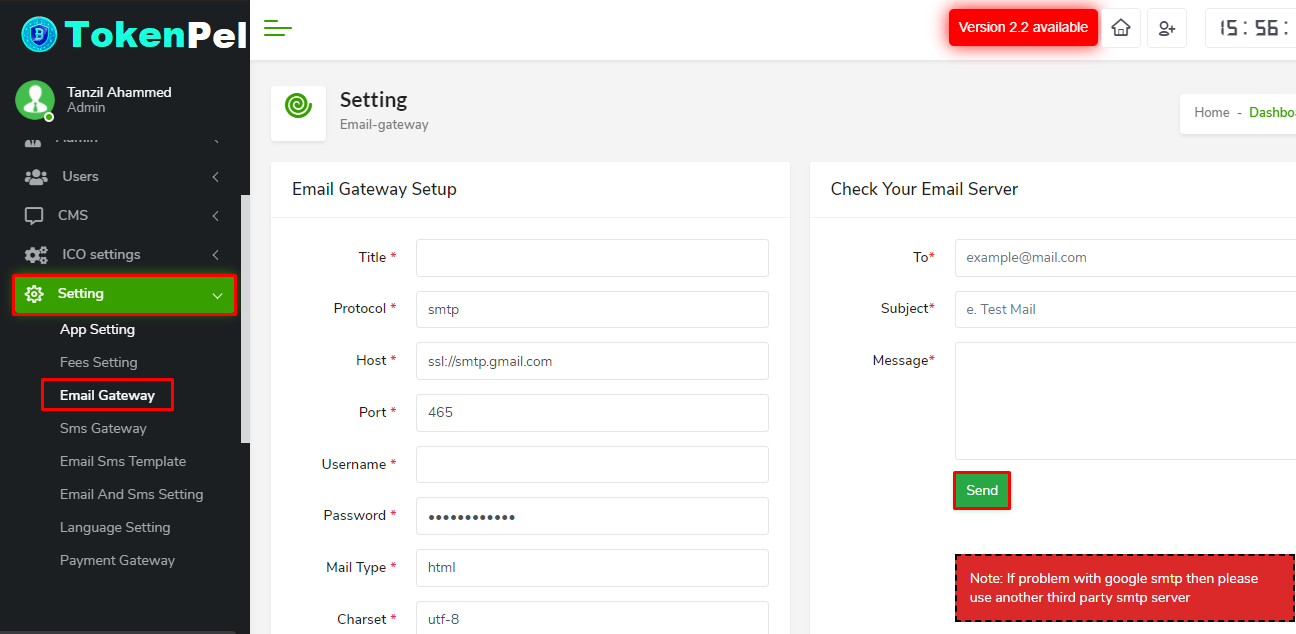
- For setting email gateway please follow this:setting>click email gateway>here you can give your own gateway information.
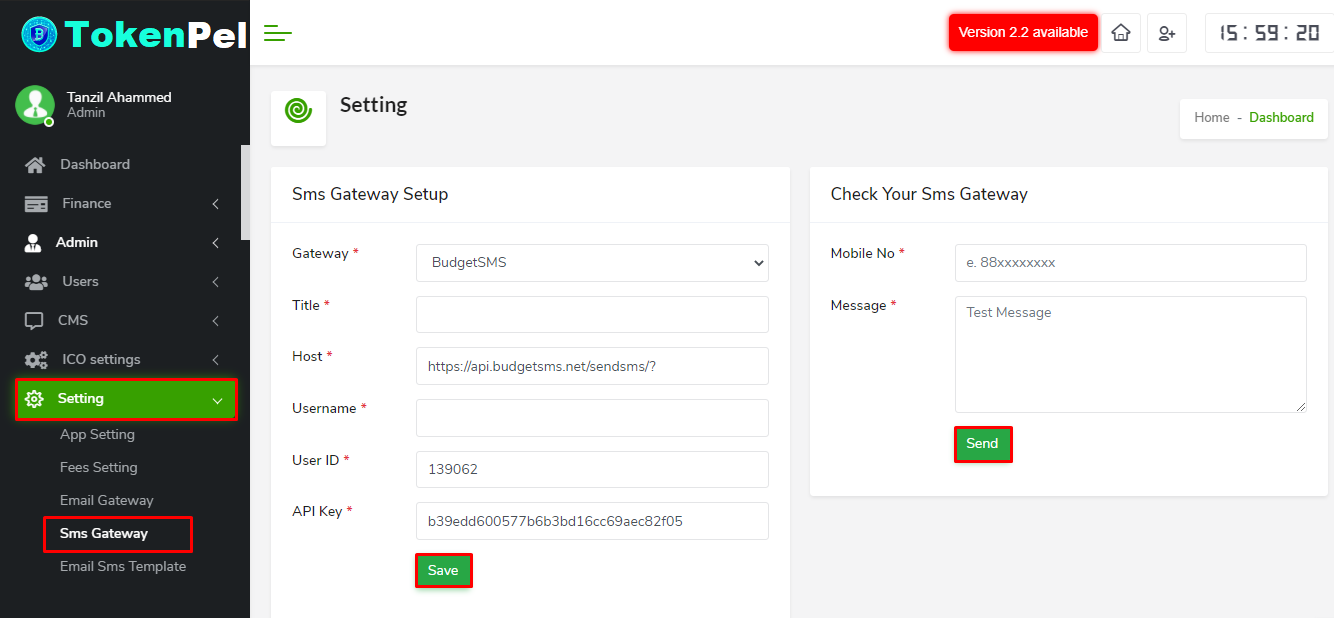
- For setting sms gateway please follow this:setting>click sms gateway>here you can give your own gateway information.
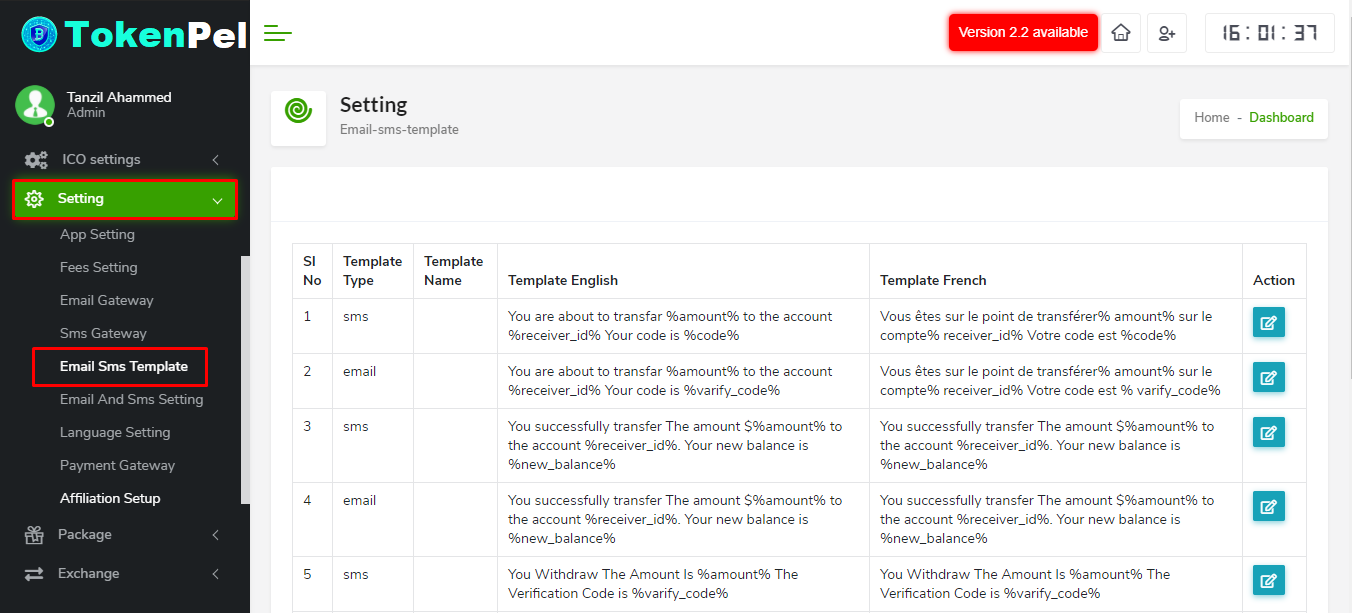
- For setting Email & Sms template please follow this:setting>click email & sms template>here you can customize your template.
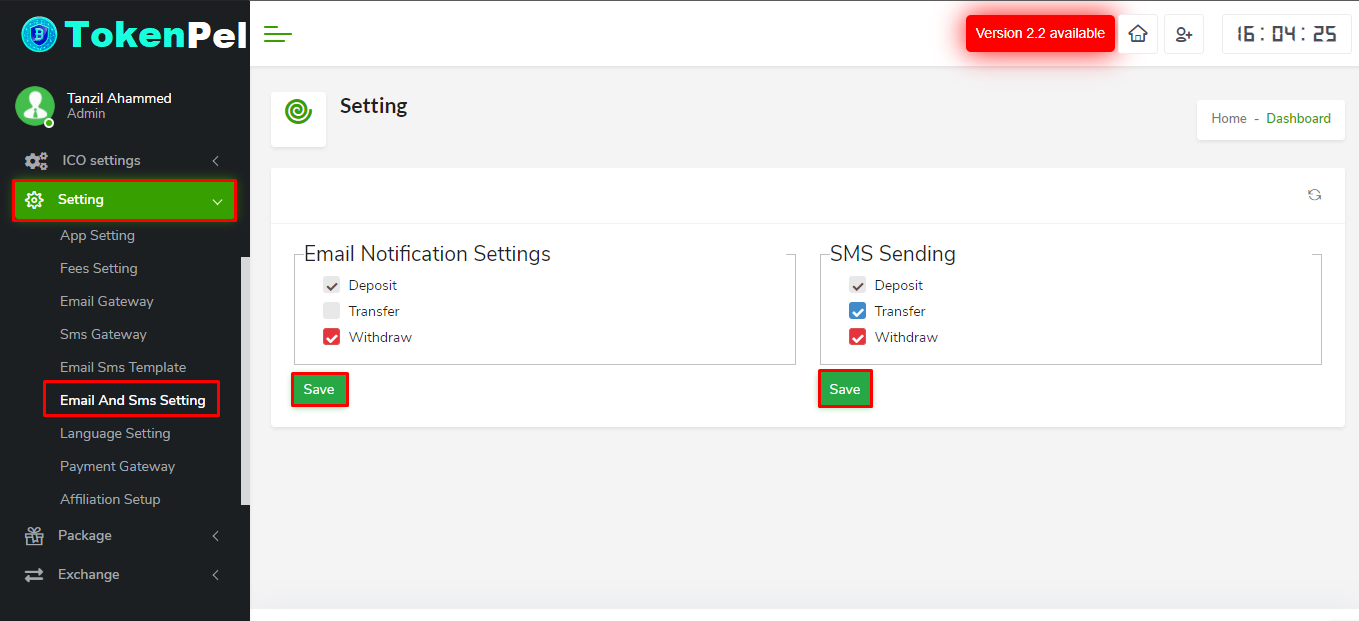
- For Email & Sms setting please follow this:setting>click email & sms setting>here you can set email & sms notification sending option.
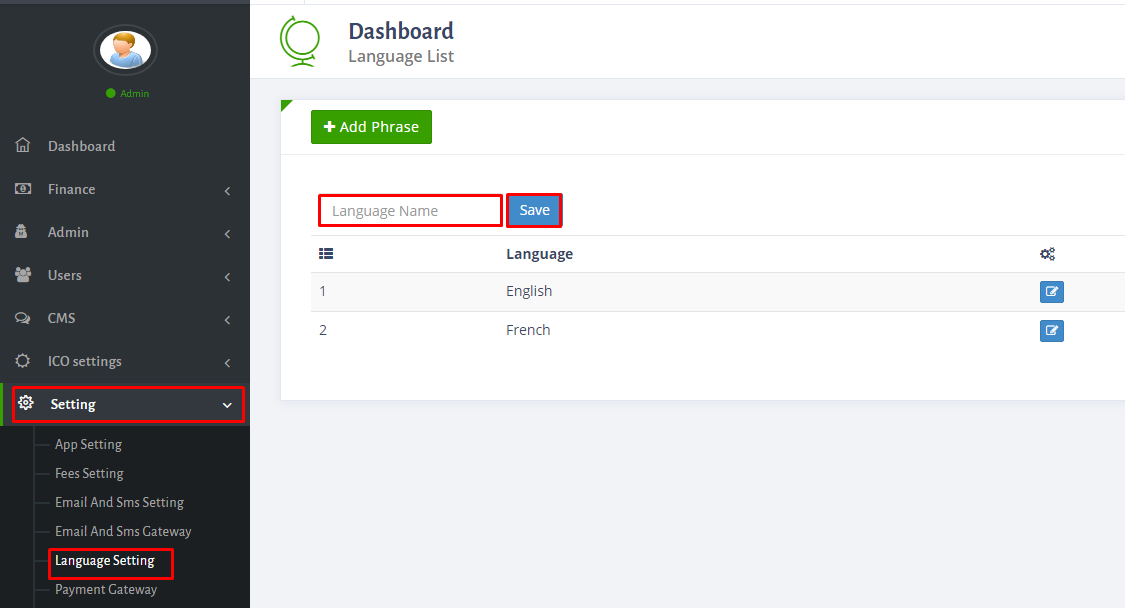
- To set up language please go to setting>click language setting>give your own language>then click save.Here you have to select a language as a default.
- To see payment gateway list please go to setting>click payment gateway.Here you can see a list.You can't add your own payment gateway.
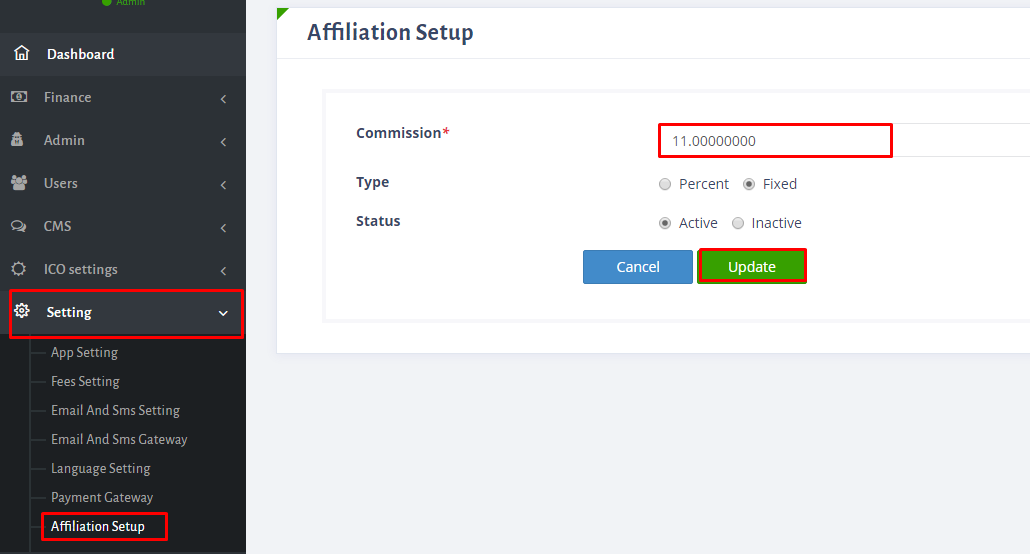
- To set up affiliation go to setting>click affiliation setting>here give commission,select type and status>finally update.
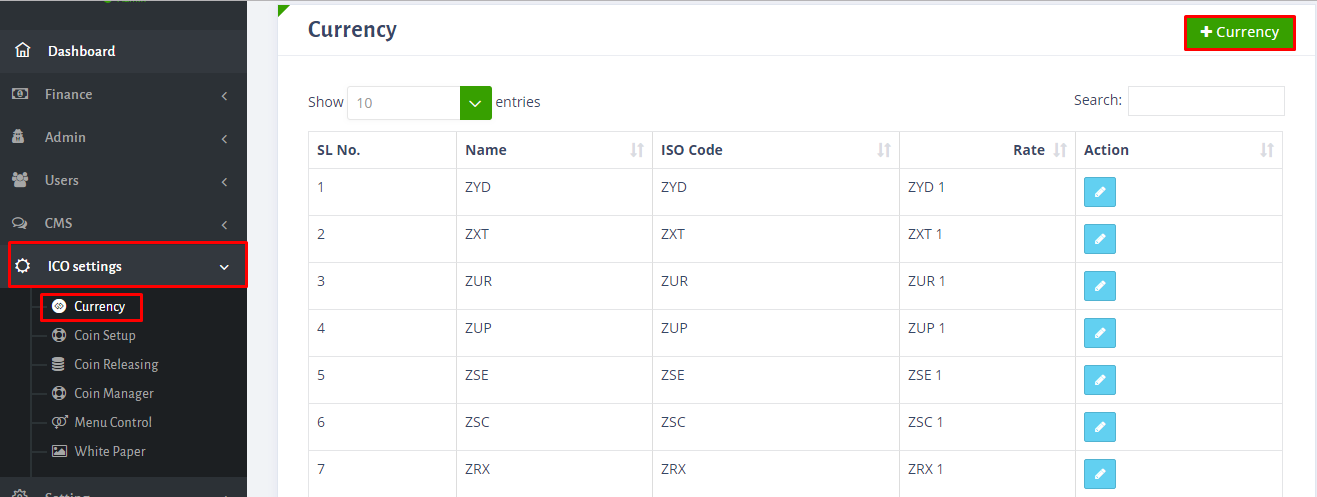
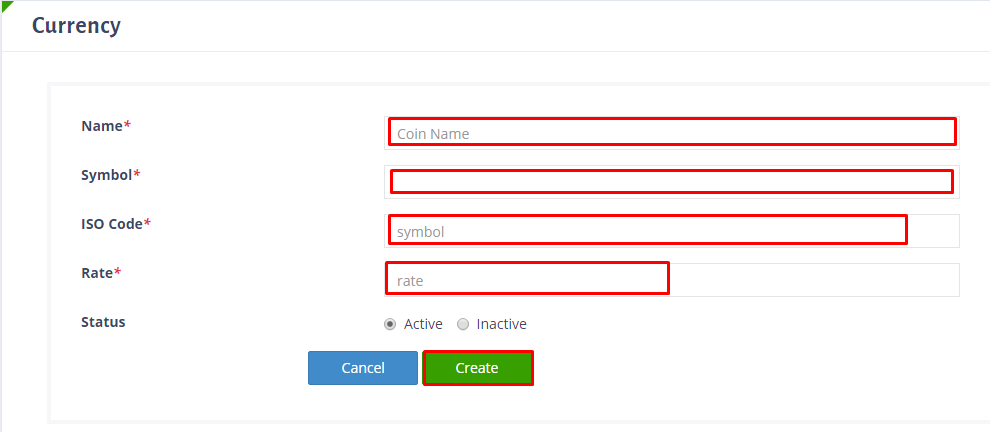
- To add currency go to ico settings>click currency.Here you can click for edit or add.For adding please click the option currency>give here name,symbol,iso code,rate and select status.Please see the screenshot below:
- To set up coin please follow the instruction.Go to ico settings>click coin setup.Here give name,symbol and select pair with option and finally click submit. Please remind a thing.Don't change pairing currency when system(or business)start,change it before start business.
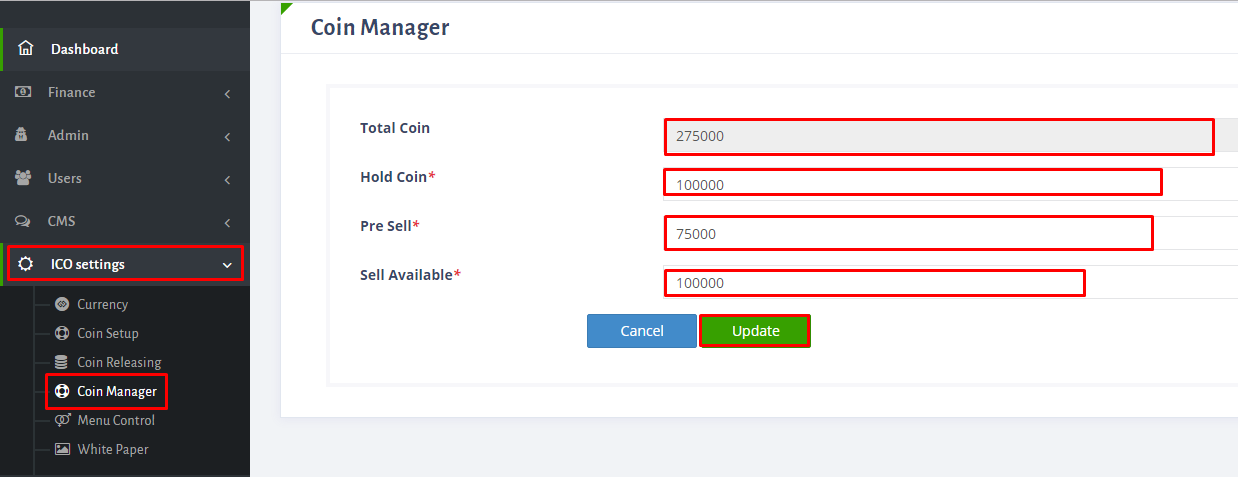
- To set-up coin manager go to ico setting>click coin manager.Fill up the required option here.See the screenshot below:
- To release coin go to ico setting>click coin releasing.Here you can edit previous one and also add new one,for adding click coin release option. Here give round name,target,release date,release time,duration and select status,finally click create.
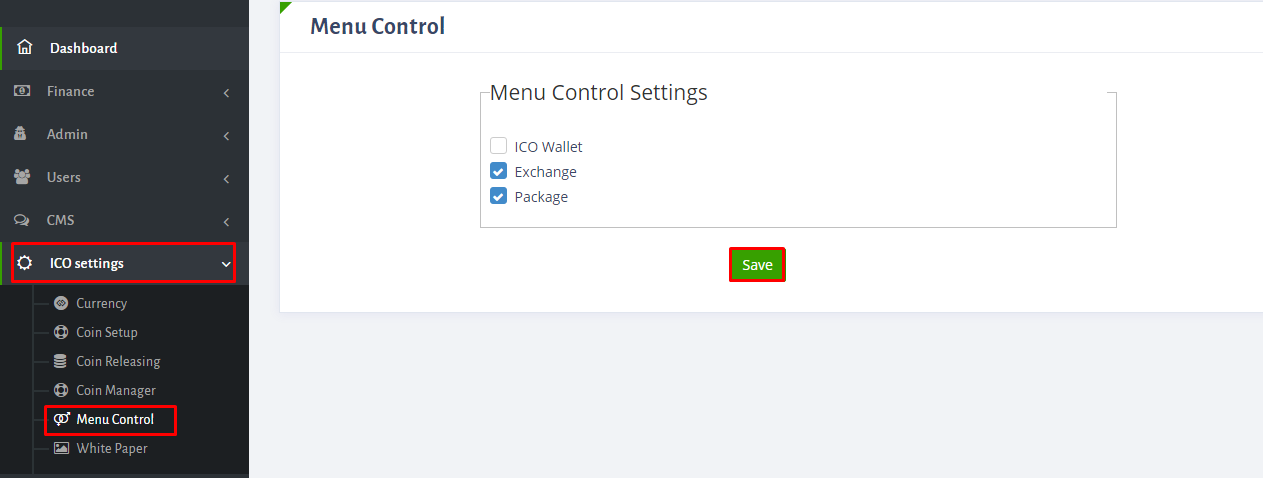
- For controling menu please see the screenshot below:
- Here you can upload pdf file.To upload please go to ico setting>click white paper>choose white paper pdf>then click update.
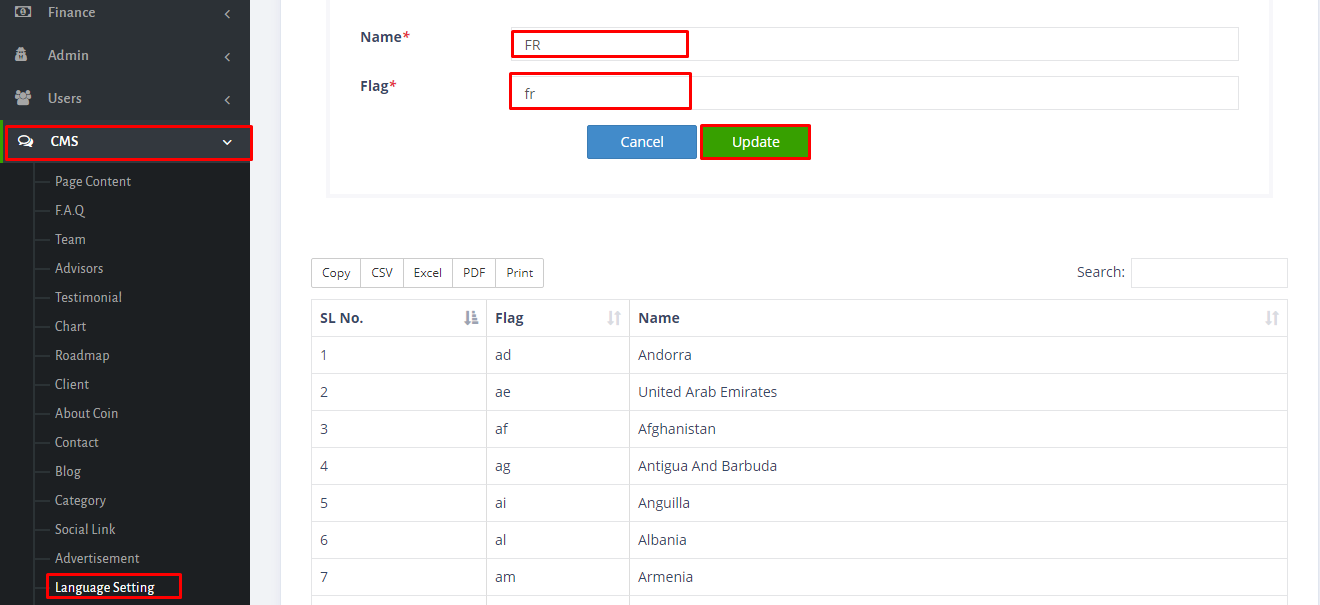
- For setting up language go to CMS>click language setting>give country name and flag>after that click save button.
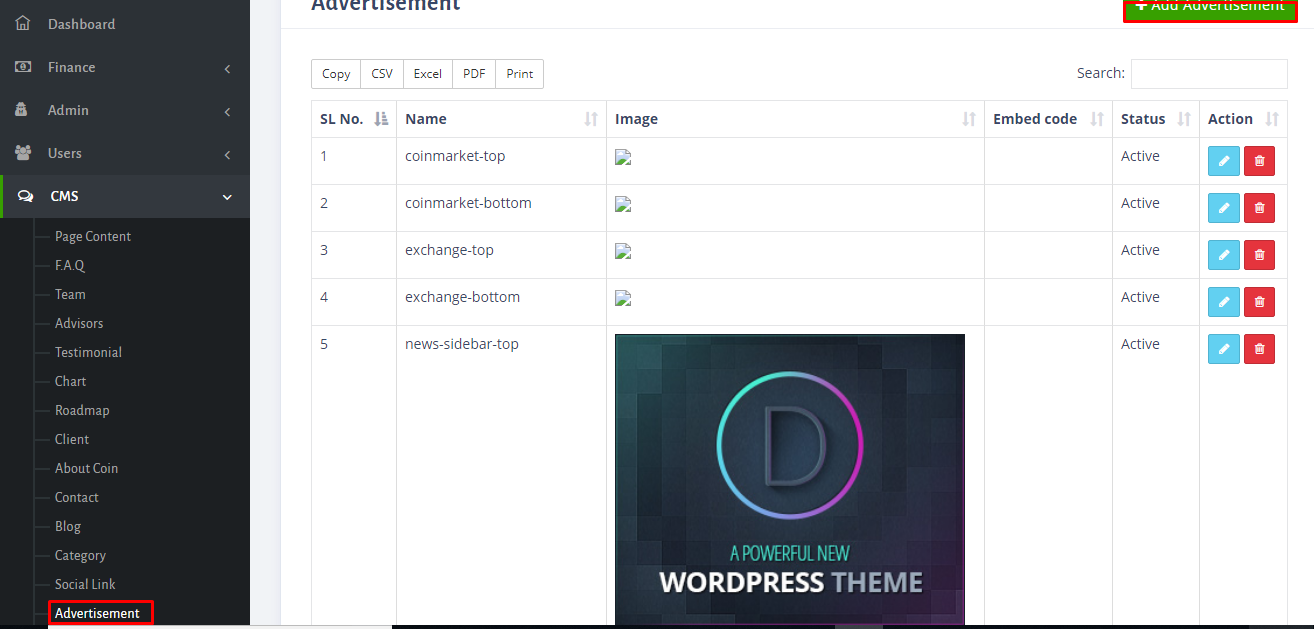
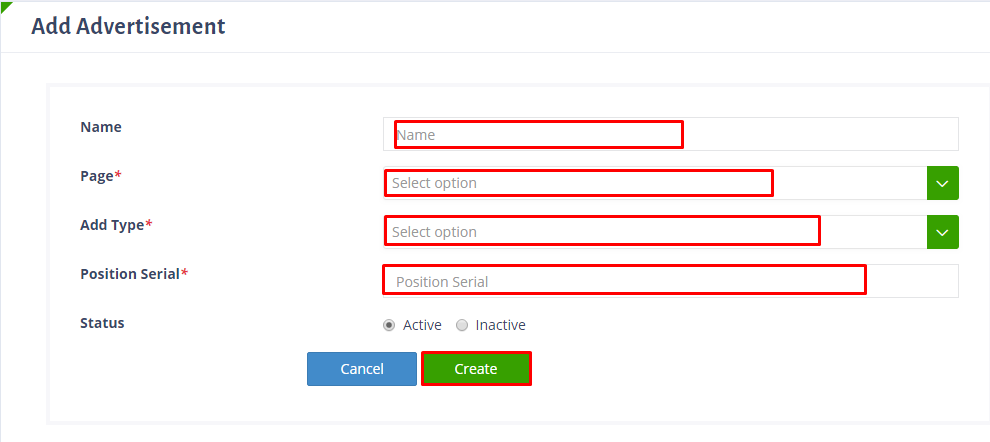
- Here you can set up advertisement.Go to CMS>click advertisement>here you can edit and delete previous one and also add new one,for adding click add advertisement,here fill up the option>finally click create.See the screenshot's below:
- Here we have already added important social links.If you want,then you can edit.For this go to CMS>click social link>here click the red mark option>and you can edit here. Please see the screenshot below:
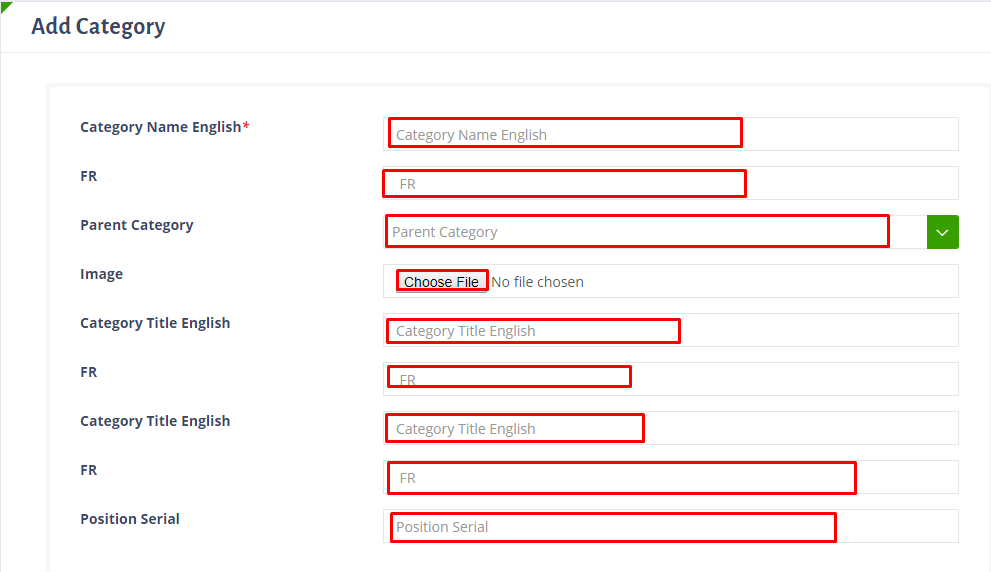
- To add category go to cms>click category.Here you can edit and delete previous one and also add new one. For adding click option add category>Here fill up the required option>finally click create.
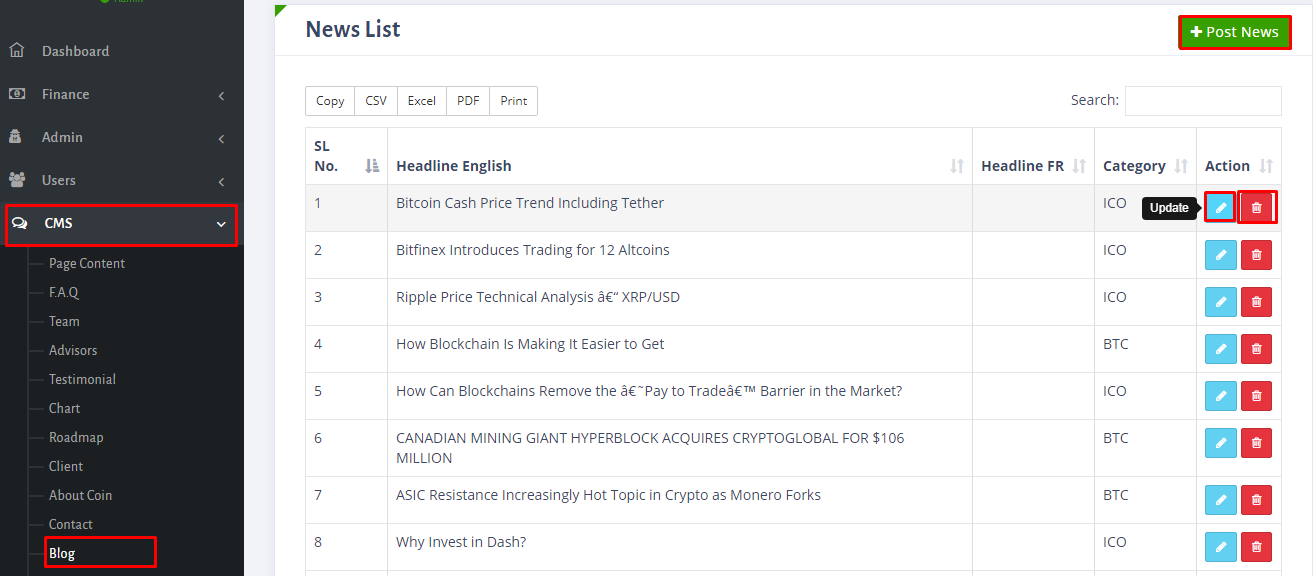
- To set-up blog go to CMS>click bolg>here you can edit and delete previous one and also add new one. For adding click option add add news>here fill up the required option>finally click create.See the screenshot's below:
- For adding something about coin please go to cms>click about coin>here you can edit,delete and add new one.For adding click + option here>fill up the option name value,text,text FR>then finally click create.
- To add roadmap follow the instruction.In first one you can edit and delete here also.
- For adding chart please go to cms>click chart>here you can edit,delete and add new one.For adding click + option here>fill up the option here>finally click create.
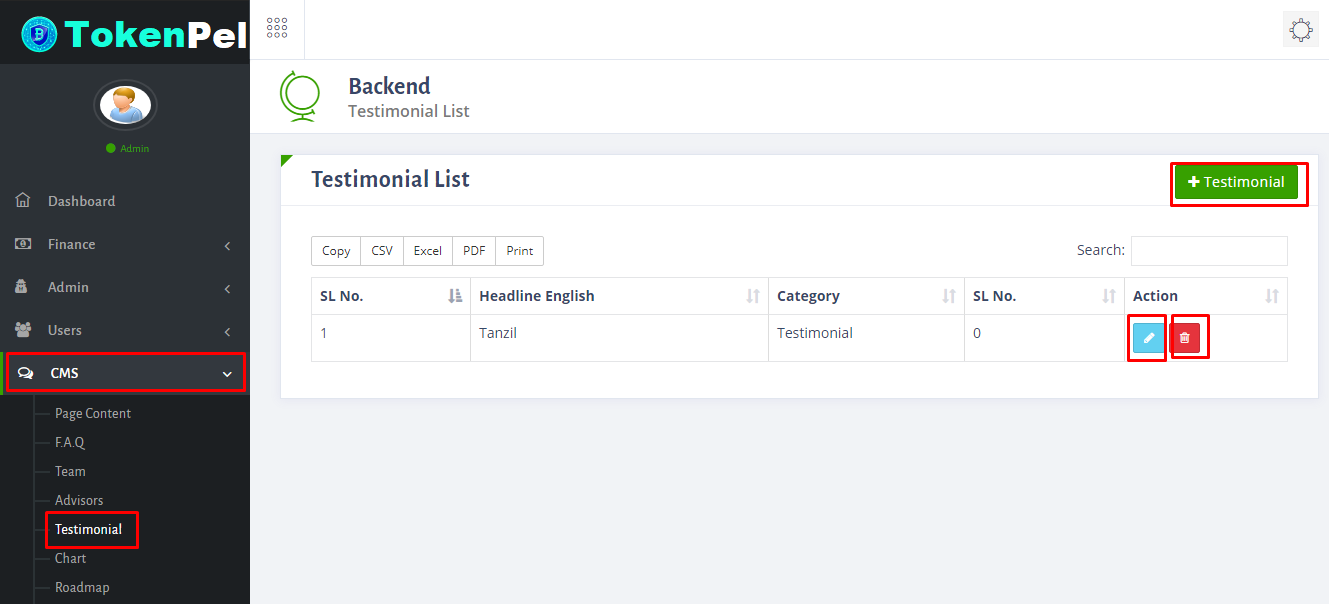
- For adding testimonial please go to cms>click testimonial>here you can edit,delete and add new one.For adding click (+testimonial) option here,fill up the option & finally click create.
- To add advisors please follow the instruction which i have marked in screenshot.In first screenshot you can edit and delete also.
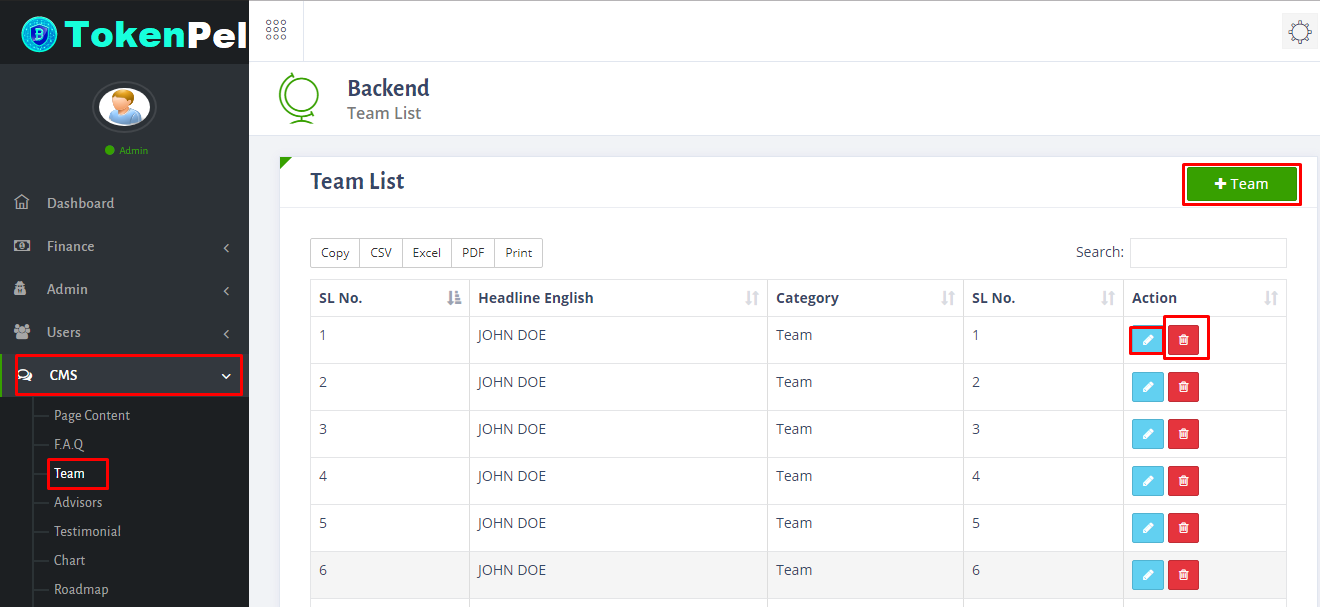
- To add team please follow the instruction which i have marked in screenshot.In first screenshot you can edit and delete also.
- To add team please follow the instruction which i have marked in screenshot.In first screenshot you can edit and delete also.
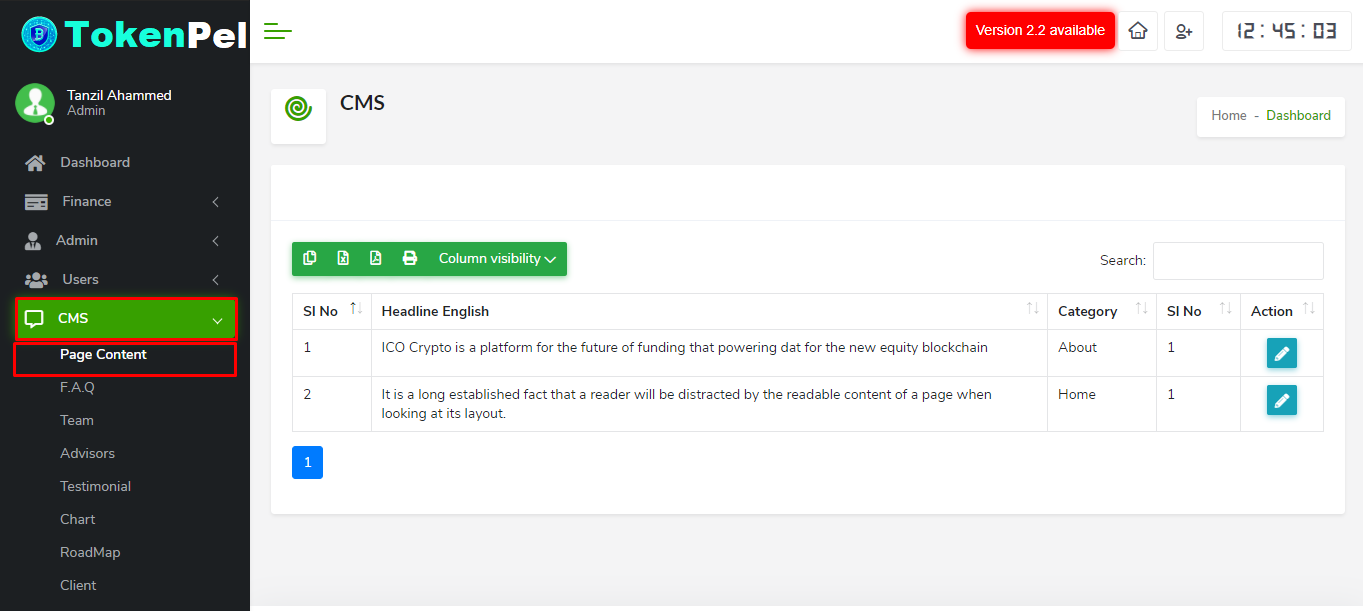
- To add page content you have to go to CMS>Page Content page.Here you can edit your content,just click the edit button and update it.
- To add user go to users option>click add user,fill up the required option here & finally click register.
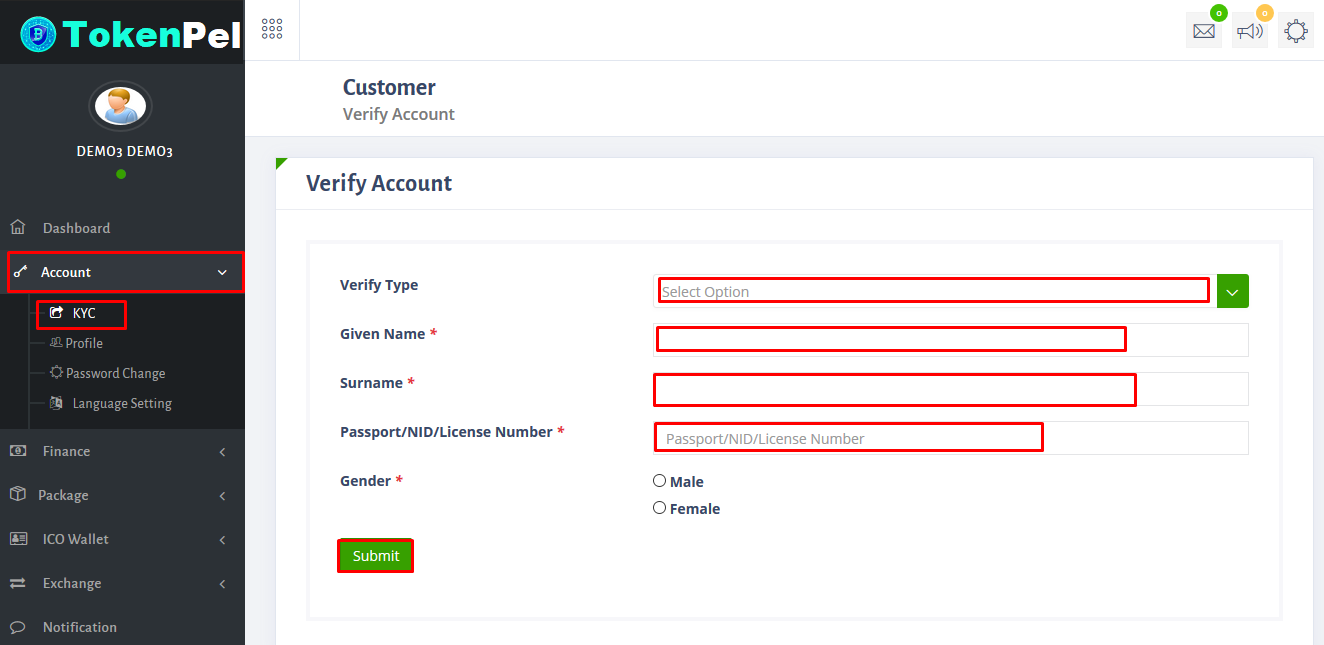
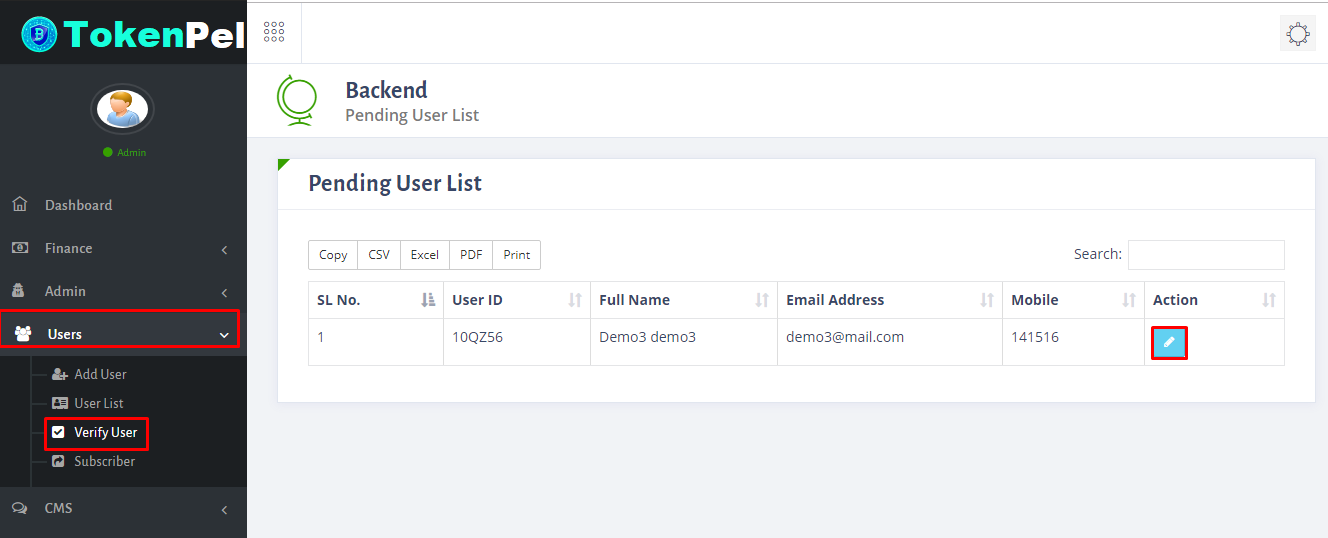
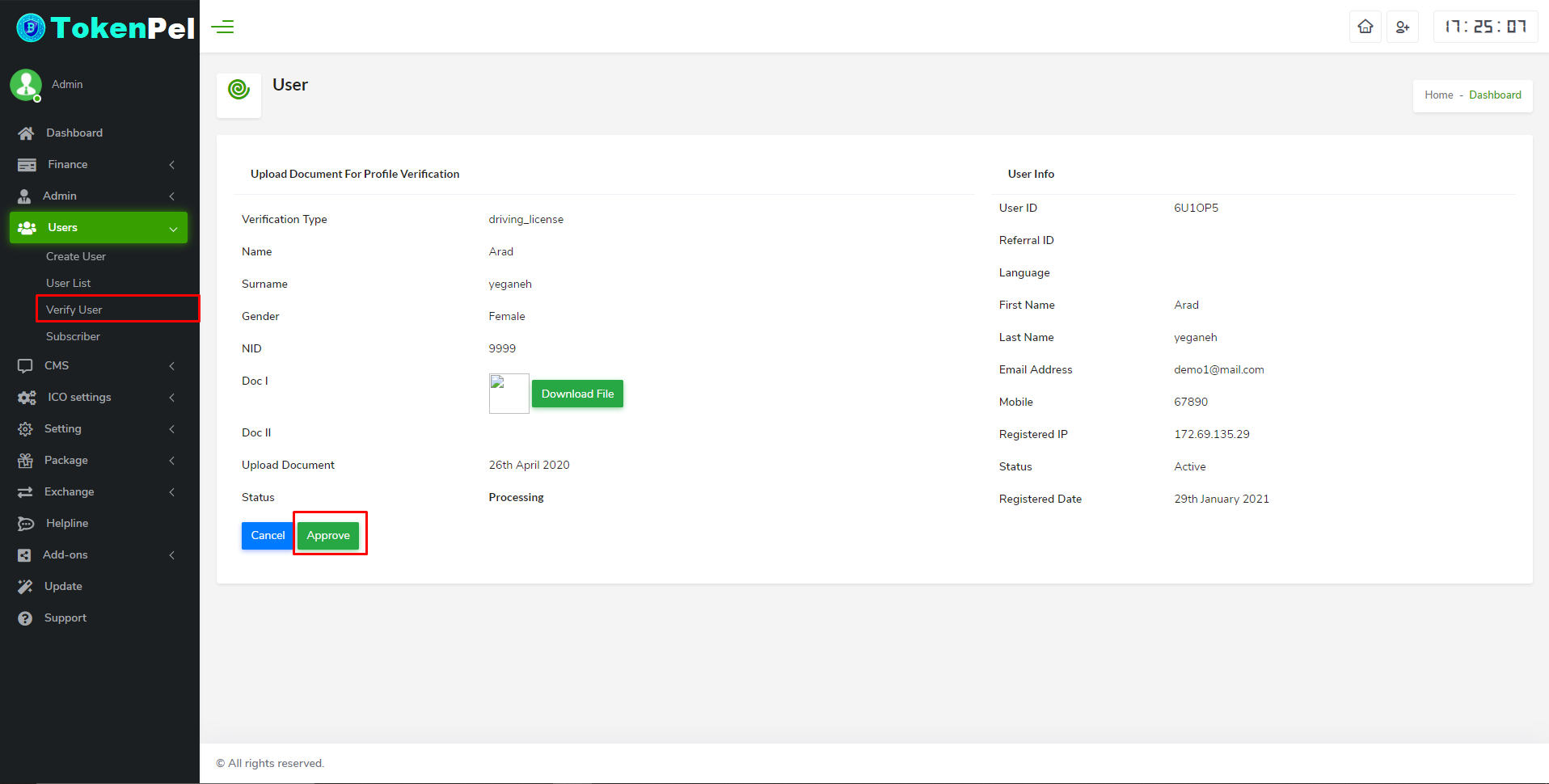
- To verify customer panel account please follow the steps which i have marked in screenshot's.See the screenshot below:
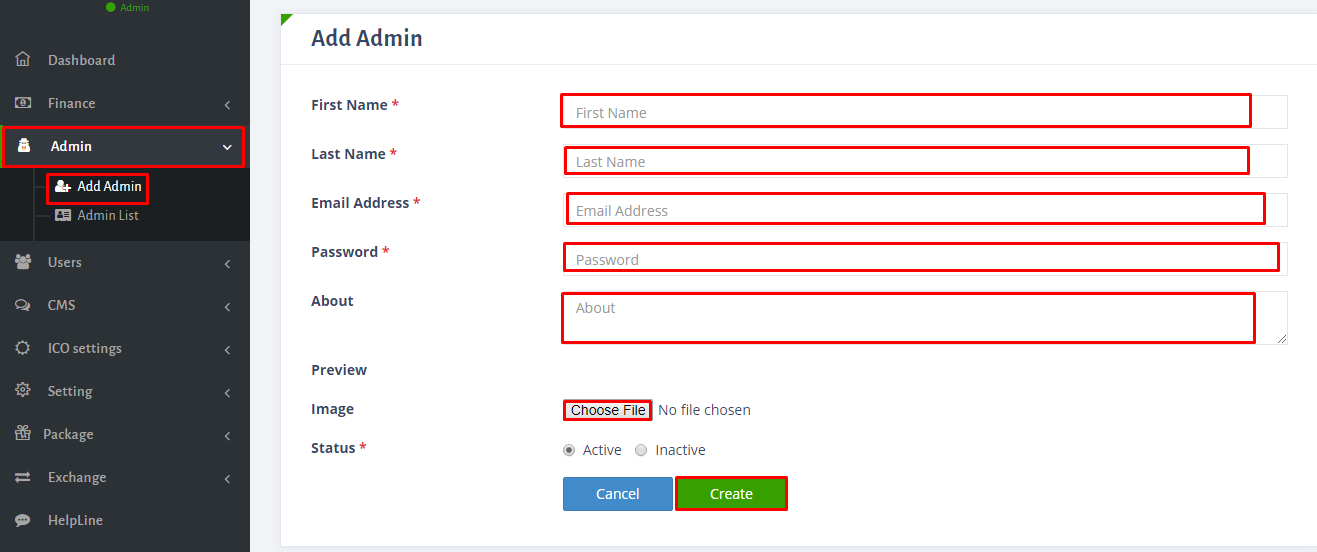
- To add admin go to admin>click add admin,fill up the required option here & finally click create.
- For customer deposit please follow the steps which i have marked in my screenshot:
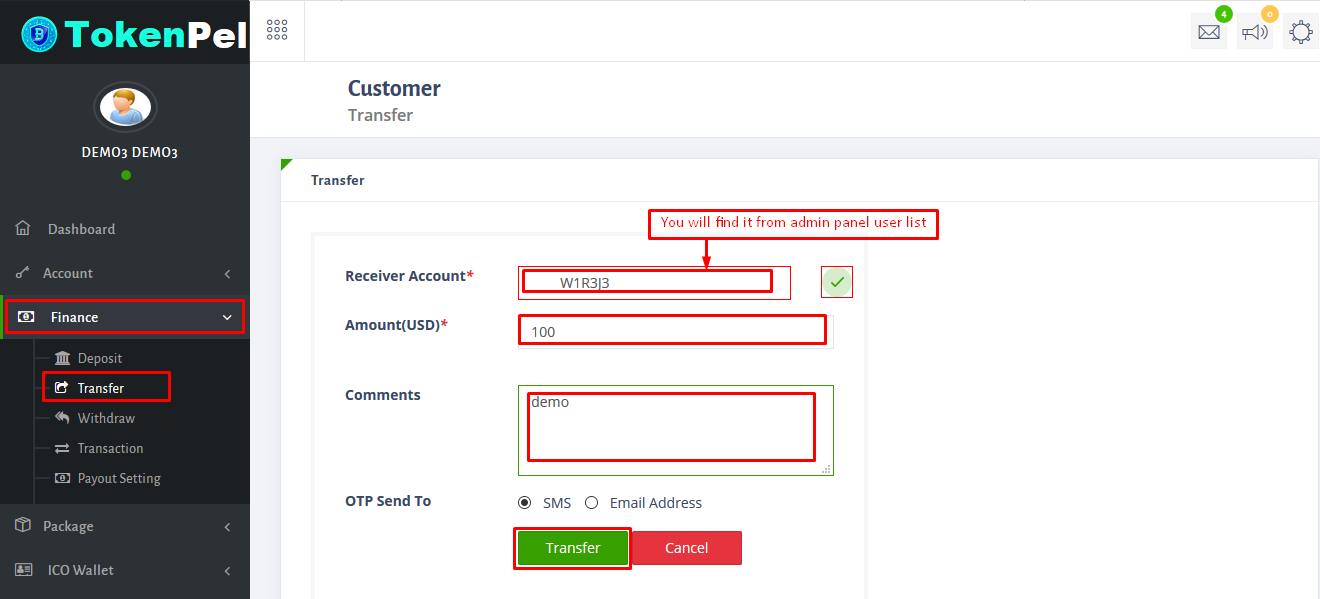
- To transfer in customer panel please follow the steps in screenshot.Here you have to give receiver account from admin panel user-list.
- To set-up payout please follow the steps in screenshot.
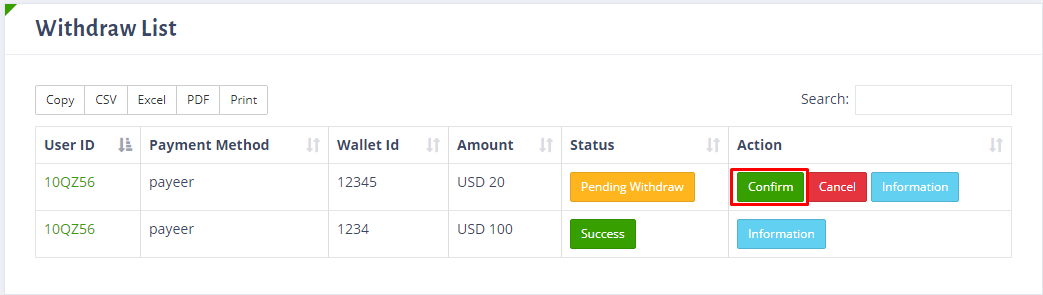
- To withdraw in customer panel see the steps which i have marked in my screenshot:
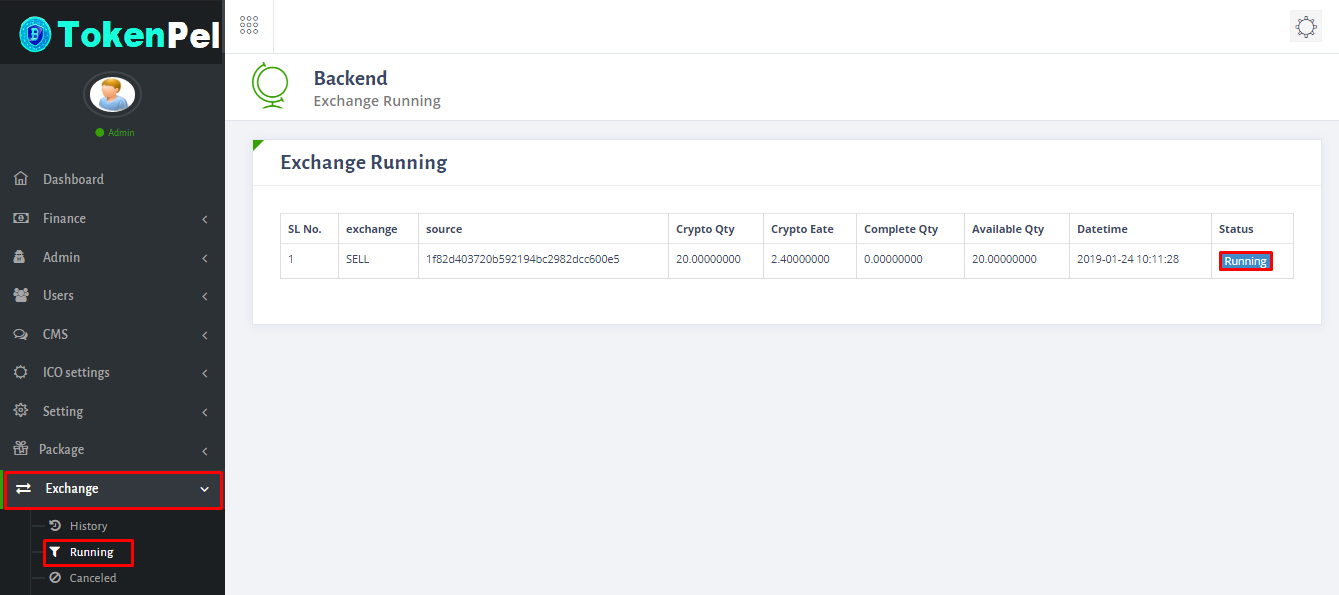
- To exchange in customer panel please see the steps which i have marked in screenshot:
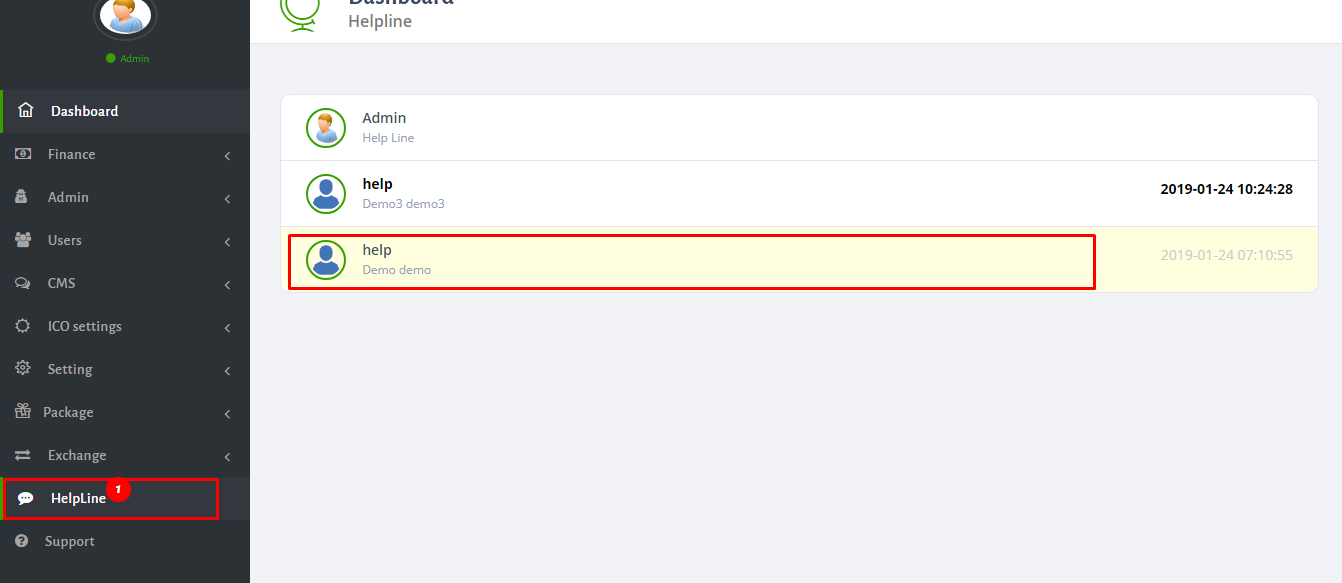
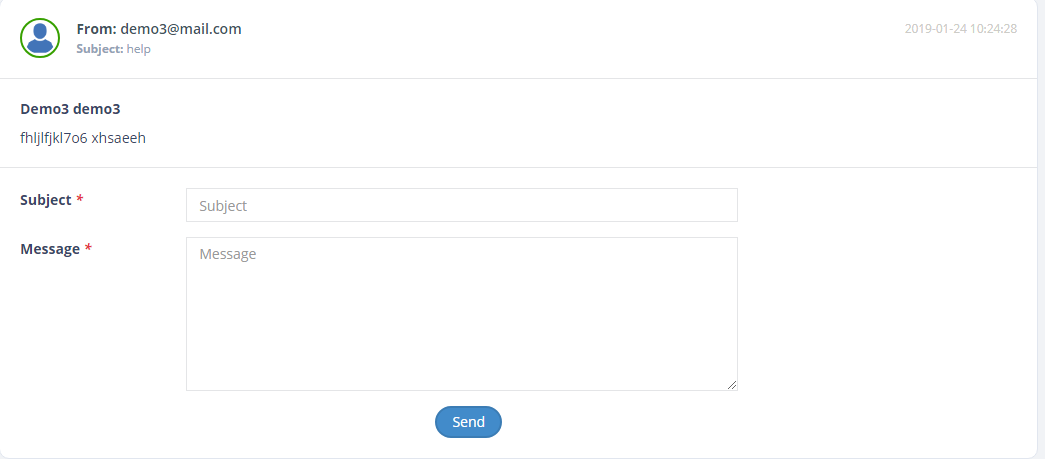
- From customer panel you can also use helpline if you face any problem or if you want to know any information.To see how it works please see the screenshot below:
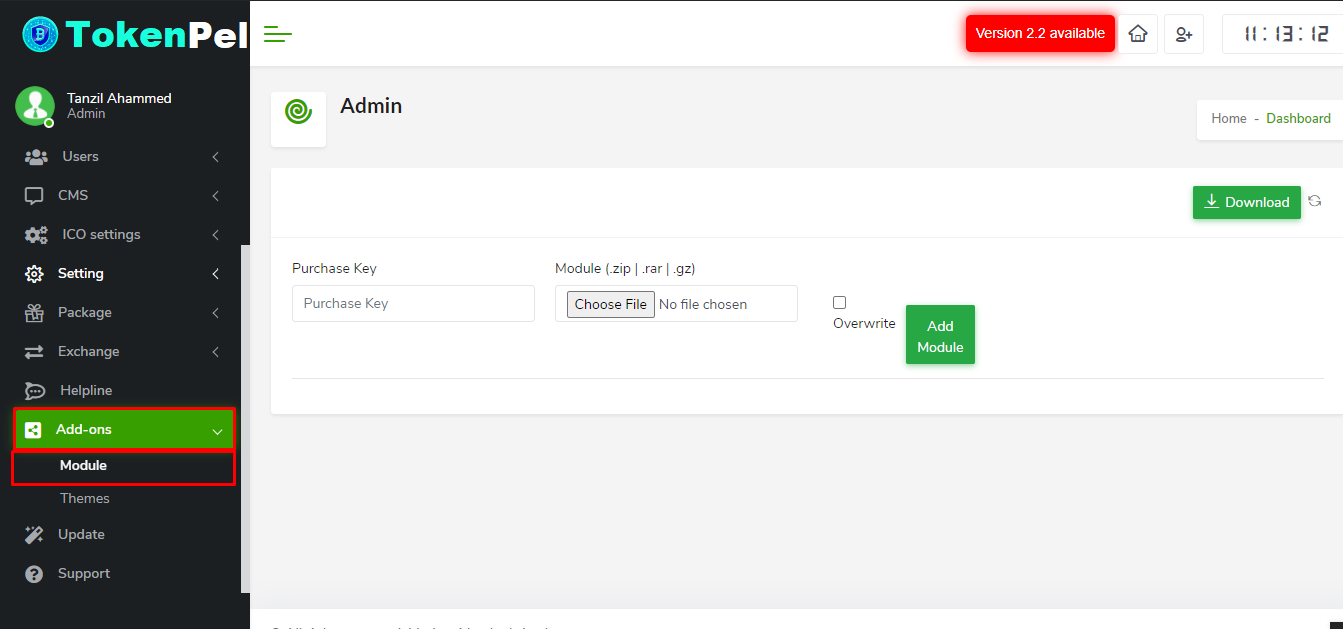
- You can get all new modules of ICO_Wallet in this page.If you want to use this modules then you need to purchase this add-ons separately, After purchase click the download button to add modules.
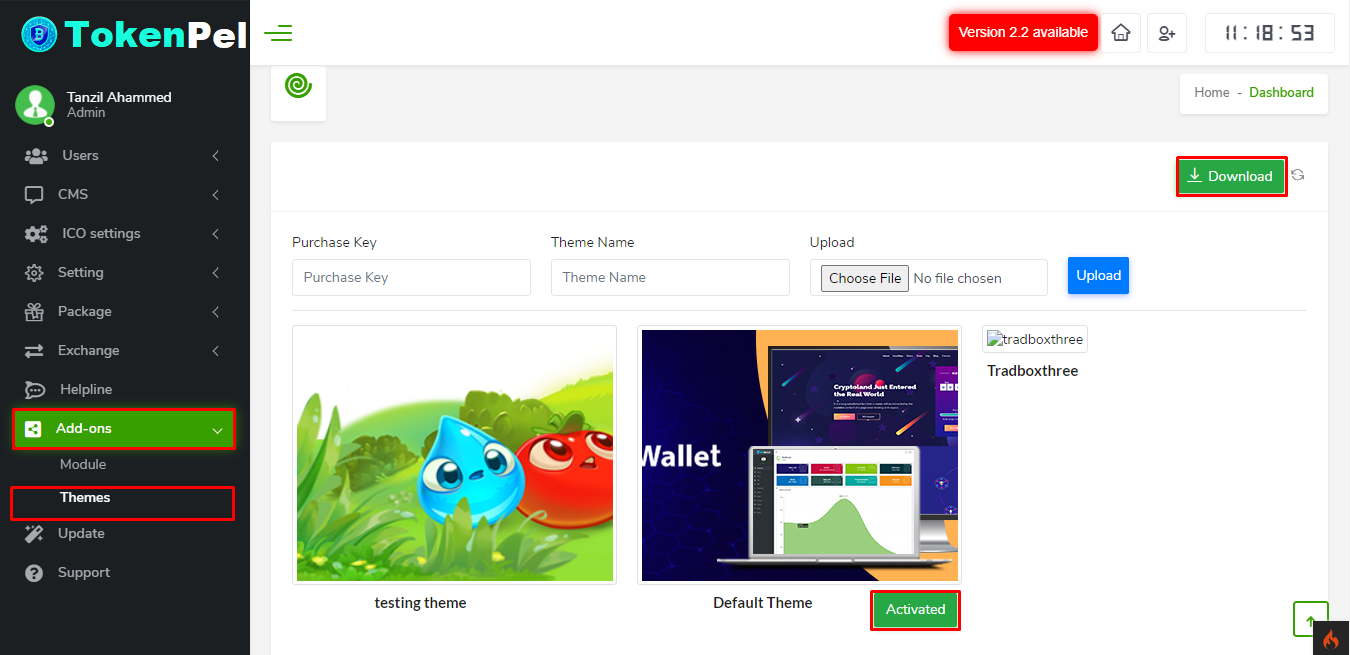
- You can get all new themes of ICO_Wallet in this page.If you want to use this themes then you need to purchase this add-ons separately, After purchase click the download button to add themes.
- To set-up payout please follow the steps in screenshot.
- After all transaction now you can see the change in customer panel dashboard.






















TokenPel Support
Thank you so much for visit this. If you want this platform or having questions / doubts then feel free to reach us.
Email : info@whitepel.com
Website : www.whitepel.com
Whatsapp : Chat Now
Telegram : Chat Now
Website Form : Contact Now